
Find.
Find a Silent Stream location.




Hear the news.
Catch the game.
Never miss a moment.
Hear what matters. Silent Stream turns every TV into a private audio stream on any phone.
Find a Silent Stream location.

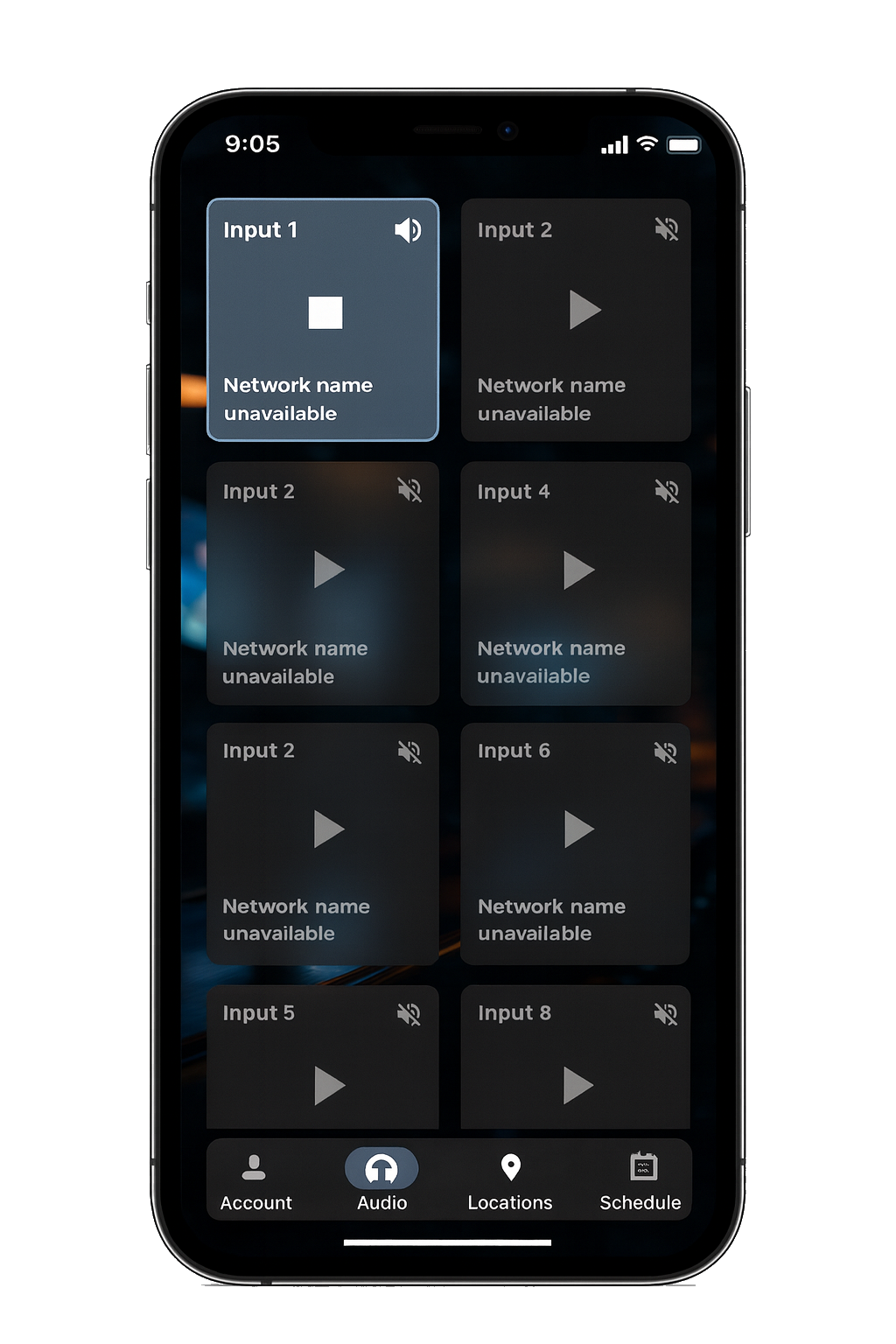
Connect to the Silent Stream Wi-Fi access point

Select any available channel to begin listening to any TV.

Silent Stream lets you hear any TV in a venue right from your phone.
Connect to the Silent Stream Wi-Fi, choose the screen you want, and start listening instantly — no staff requests or channel changes needed.

Silent Stream gives your guests a modern way to hear the TVs they care about, all at the same time.
Everyone gets the game or show they want, reducing complaints and creating a better experience for every guest.

Everyone gets the game or show they care about — no sound battles, no unhappy groups, no waiting for staff to switch channels.

Guests stay longer when they're engaged in their game. More time watching means more food and drink sales.

Lower the volume without sacrificing the experience. Fewer complaints, fewer arguments over remotes, smoother operations.

Silent Stream brings a premium, app-powered feel to your venue. It sets you apart from bars that still rely on old-school remotes and loud audio.
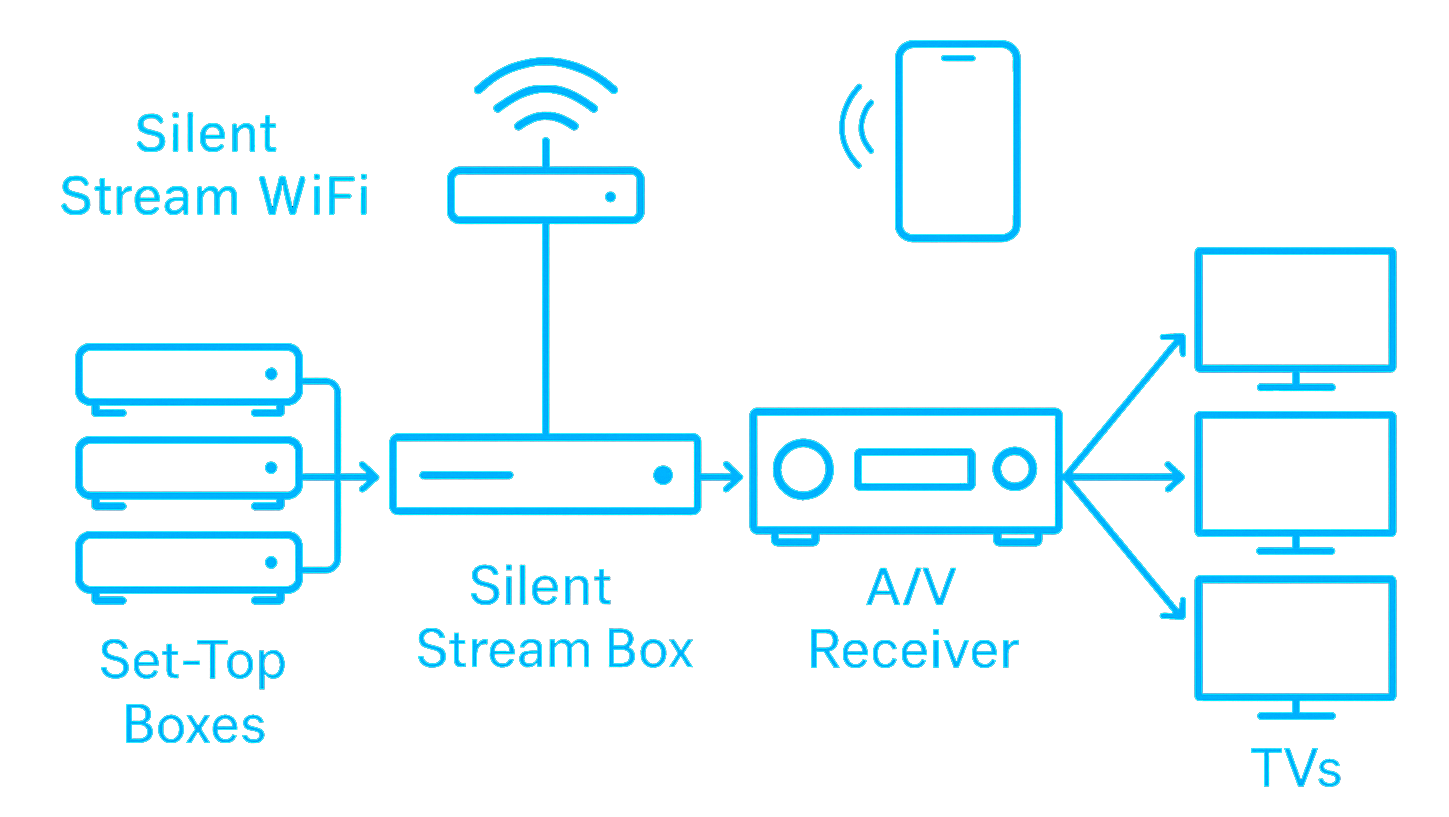
Silent Stream connects directly to the set-top boxes or media players you already use for sports, news, and entertainment.
It extracts the audio from each HDMI feed and passes the HDMI video through unchanged to your A/V receiver or switch — so your screens, wiring, and picture quality stay exactly the same.
The Silent Stream Box extracts the audio from each HDMI source and organizes it into individual digital audio channels.
It supports up to eight simultaneous HDMI inputs, allowing multiple games, news feeds, and entertainment sources to run at the same time.
The HDMI video signals pass through unchanged to the venue's A/V receiver or switch, so all existing video routing and operations continue exactly as they do today.
This lets Silent Stream capture audio while leaving the venue's playback setup fully intact and uninterrupted.
The Silent Stream Box connects to a dedicated Silent Stream Wi-Fi access point included in the system setup.
Audio streams are broadcast only within this local, on-premise network — never over the internet and never outside the establishment — ensuring low latency, high reliability, and complete containment of the signal.
Guests open the Silent Stream app, choose the screen they want, and start listening immediately.
No remotes, no guessing, no waiting for staff.
Every table, every seat, every screen becomes accessible to everyone in the venue.
Offered as a simple monthly lease that includes the Silent Stream Box and Wi-Fi hardware, nothing to buy upfront, with pricing comparable to other common streaming services.
Your venue. Your guests. Your audio.
Silent Stream is available for guests today and ready for venue installations.